On this page · 06 sections
Abstract
WebRTC lets browsers exchange audio, video and arbitrary data directly, without plugins. Yet most peers sit behind network address translation and firewalls that prevent unsolicited connections. This paper traces the full negotiation: acquiring media through the MediaDevices API, exchanging session descriptions over an application-defined signaling channel, and discovering a viable network path with ICE, STUN and TURN. We show where latency is spent during setup, why trickle ICE matters, and which security decisions the specification deliberately leaves to the implementer.
Key findings
- 01
Signaling is outside the WebRTC specification — its transport and its security are the implementer’s responsibility.
- 02
Trickle ICE, sending candidates as they are discovered, materially shortens time-to-first-frame.
- 03
TURN relays guarantee connectivity behind symmetric NAT, at the cost of bandwidth and server load.
- 04
Detailed media constraints produce better streams than defaults, and can be re-applied without reopening devices.
Introduction
WebRTC (Web Real-Time Communications) is an open-source project and set of browser APIs that enable real-time voice, video and data exchange between browsers and devices. Developers use JavaScript APIs to create peer-to-peer connections, without custom interfaces, extra plugins or special software. Opening a web page is enough.
The simplicity of that experience hides a surprisingly intricate negotiation. Two devices, usually behind different routers, must discover how to reach each other, agree on codecs and formats, and establish an encrypted channel — all in the second or two between a click and a picture.
Architecture at a glance
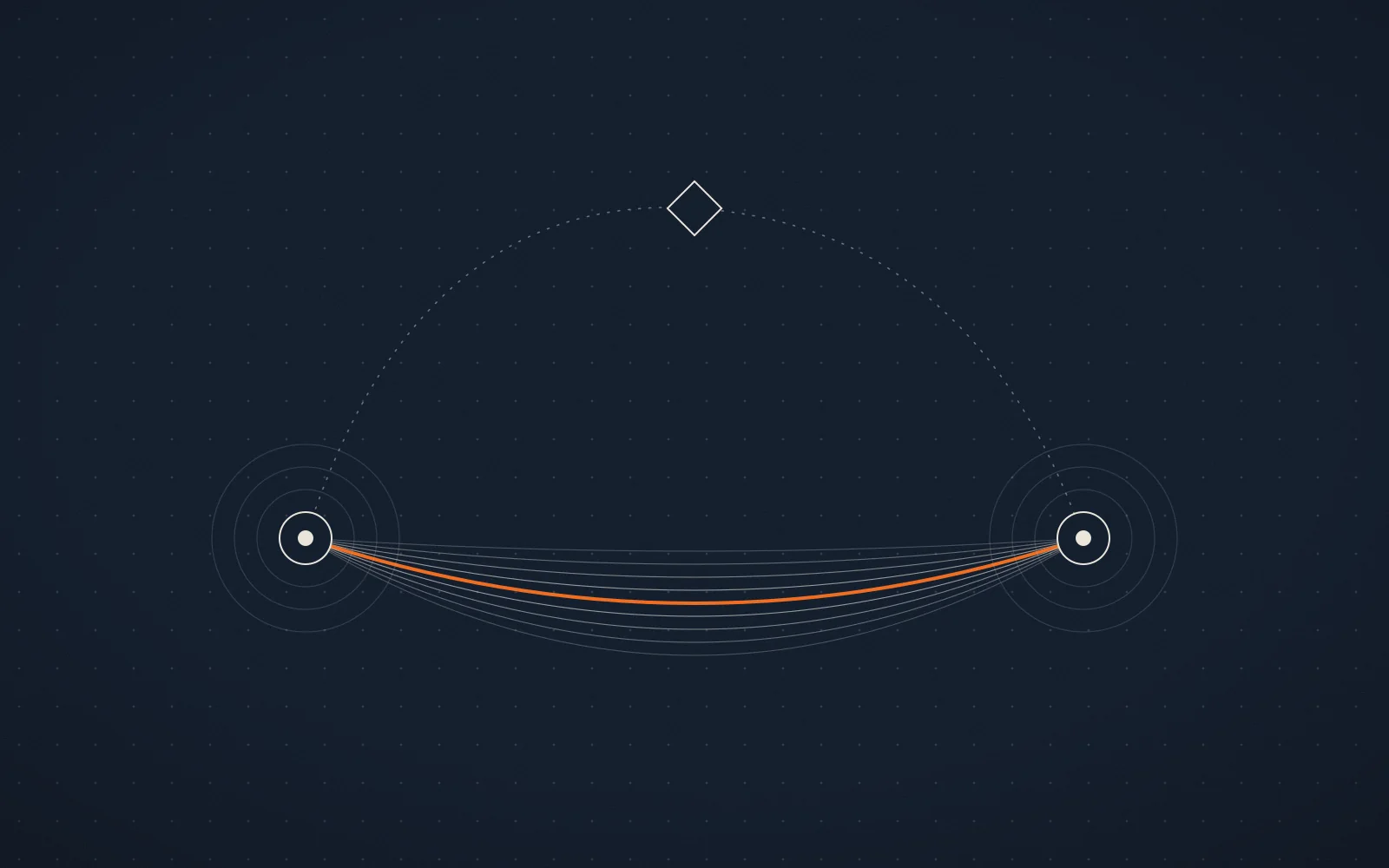
Diagram: Peer A and Peer B exchange offers, answers and ICE candidates through a signaling server; each asks a STUN server for its public address; media flows directly between the peers, or through a TURN relay when a direct path is blocked.
Four concerns are layered here. Media capture obtains streams from cameras, microphones or the screen. Signaling carries metadata between peers. Session description tells each side what the other can send and receive. Connectivity establishment finds a network path. We take them in order.
Media capture
Cameras and microphones are reached through navigator.mediaDevices. The most common entry point is getUserMedia(), which takes a constraints object and resolves to a MediaStream. Calling it triggers a permission prompt; denial raises a NotAllowedError, and a missing device a NotFoundError.
const constraints = { video: true, audio: true };

try {
  const stream = await navigator.mediaDevices.getUserMedia(constraints);
  document.querySelector("video#local").srcObject = stream;
} catch (error) {
  console.error("Could not open media devices", error);
}
Real applications enumerate devices so users can choose, and listen for devices being connected or removed during a session:
async function listDevices(kind) {
  const devices = await navigator.mediaDevices.enumerateDevices();
  return devices.filter((device) => device.kind === kind);
}

navigator.mediaDevices.addEventListener("devicechange", async () => {
  renderCameraPicker(await listDevices("videoinput"));
});
Constraints
Constraints may be loose (“any camera”) or precise — an exact deviceId, a minimum resolution, echo cancellation on. Values can be specific, ranges, or objects with ideal and exact keys; with exact, only matching streams are returned. Detailed constraints produce better streams than defaults, and applyConstraints() re-configures a live track without reopening the device.
const stream = await navigator.mediaDevices.getUserMedia({
  audio: { echoCancellation: true },
  video: {
    deviceId: { exact: cameraId },
    width: { min: 640, ideal: 1280 },
    height: { min: 480, ideal: 720 },
  },
});

const [track] = stream.getVideoTracks();
console.log(track.getSettings()); // what was actually applied
Screen capture uses getDisplayMedia(), which returns a MediaStream that behaves identically but accepts its own constraint set. For local playback, a video element should carry autoplay and playsinline so streams start immediately and play inline on mobile browsers.
Originally published at Aviox Blogs engineering handbook.
Insights & Understanding
Frequently Asked Questions
Answers to common questions regarding this article's topic, architecture, and practical applications.