
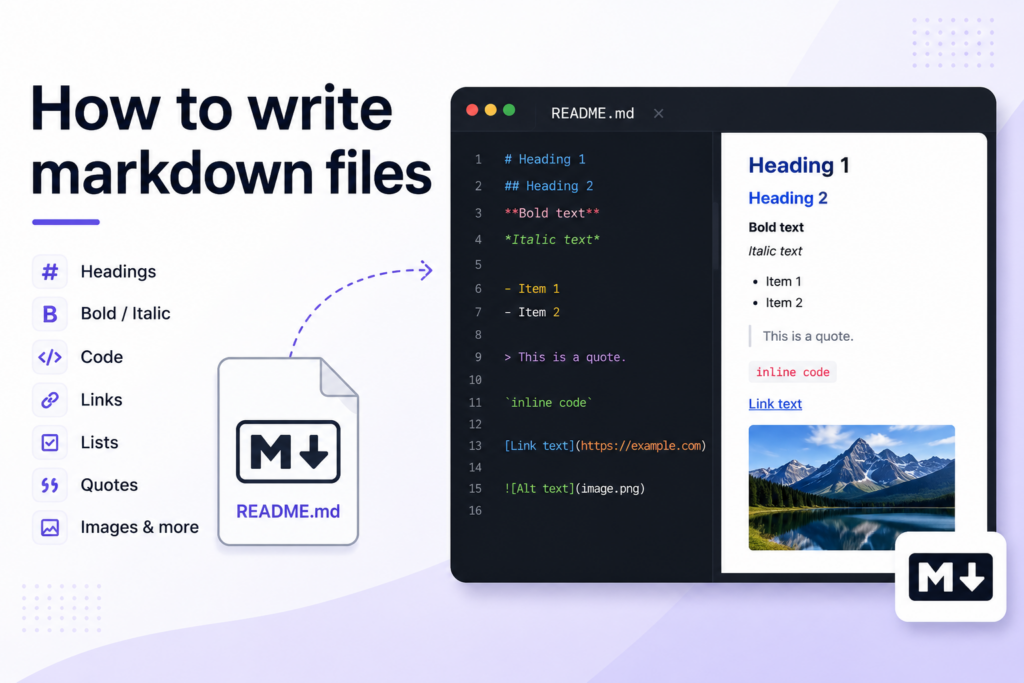
How to write markdown files
- This document is used, when you want to write the readme.md file. Uses the syntax from here.
Headings
- Largest to Smallest. Use
#for higher and uses######for lowest.
The first largest heading tag with this #.
The second largest heading tag with this ##.
The third largest heading tag with this ###.
The third smallest heading tag with this #####.
The second smallest heading tag with this #####.
The first smallest heading tag with this ######.
Bold with **
This text is bold.
Bold with __
This text is also bold.
Italic with *
*This text is italic.*
Italic with _
_This text is also italic._
Strike Through ~~
This text is Strikethrough.
Bold with Italic (Using both ** and _)
Text is bold but this word is _italic_.
Whole text bold and italic with ***
Whole text bold and italic.
Text with Quote >.
This is quote text.
Highlighted with “”“””
This is a Backticks text.
Fenced Code Block
Use triple (“`) – (fenced code block) for format the code on its own distinct block.
a = 5
b = 6
c = a + b
If you want to make the block as language specific. Please add the language identifier (name) after the fenced code block.
Example for python
Continue Reading
You've reached the end of the free preview. Subscribe free to unlock the rest of this article.



Discussion (0)